Download PojavLauncher APK for Android & IPA for iOS
Choose your device to download the Android APK or iOS IPA.
We all know Minecraft is an amazing and most-played game on the internet. However, it is getting famous with every passing day due to its unique features and gameplay. To make it more engaging, players often experiment with different versions.
Like, some people try to play Minecraft Java Edition on their phone, but can’t, as it is a PC version. The idea to play the Java edition on a phone appears due to device limitations, paid plans, and other reasons.
By downloading PojavLauncher APK on Android, you can play supported Minecraft Java Edition versions on your phone. The iOS version comes as an IPA. Both versions let you explore compatible mods, custom servers, and game settings.
In this guide, we will explore how to download PojavLauncher on your devices, steps to use it, and more.
PojavLauncher gives mobile players a way to run supported Minecraft Java Edition versions on Android and iOS. You can choose a game profile, adjust the controls, and explore compatible mods or custom servers from your phone or tablet.
The launcher is free and open source. To play the full Java game, you still need a licensed account. How well a version runs depends on your device, the renderer, and the settings you choose.
Features of PojavLauncher for Android & iOS
The PojavLauncher offers various features that enhance your gameplay experience. Some of these features are discussed below.
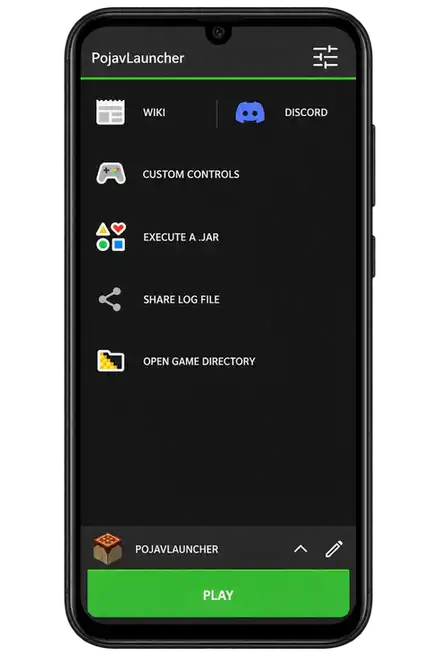
Custom Controls
Pojav supports custom control options. Like, you can customize touchscreen options, controller, and keyboard mapping to improve your gaming experience.
Free to Download
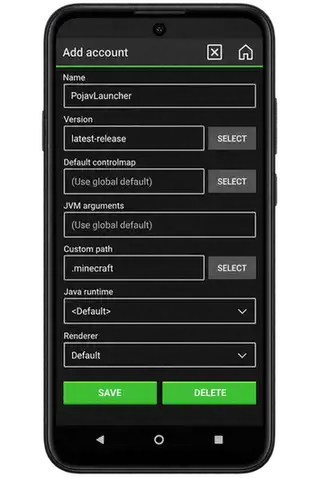
One of the best features of Pojav is that it is entirely free to download. You can download it for free on your devices and use the launcher without a subscription. Minecraft Java Edition requires a licensed account.
Simple Interface
The interface of the Pojav launcher is clean and intuitive. So that every player can use it and play the game of their choice. You will not have to navigate the complex interface of the app and follow the hectic steps of installation.
Support Multiple Minecraft Versions
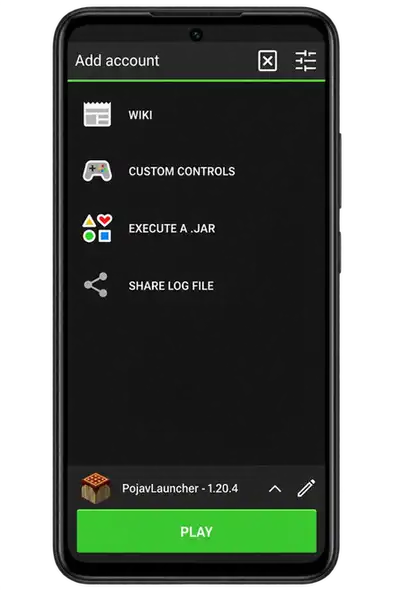
The PojavLauncher also allows you to download and play older or newer versions of the game. Version compatibility depends on your device, renderer, and launcher build. Additionally, with the snapshot feature, you can test upcoming Minecraft features before their official release.
Supports Mod
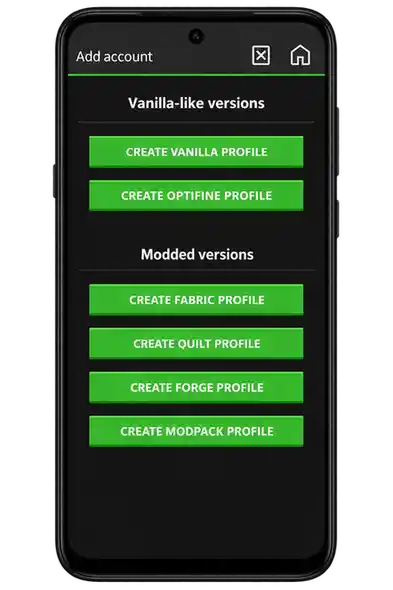
The PojavLauncher supports various Mod versions. So, you can easily install Forge, Fabric, and OptiFine versions of Minecraft for an enhanced gaming experience.
Offline Gameplay
After signing in and downloading a supported Minecraft version and its resources, offline single-player may be available. Multiplayer and new downloads need an internet connection.
Steps to Download PojavLauncher on Your Devices
Follow these steps to download and install the PojavLauncher tool on your Android and iOS devices.
Installation of Pojav launcher on Android
- Firstly, open settings from your Android mobile and turn on the option for “Unknown source downloads.”
- Open your browser and search for the PojavLauncher APK software.
- Use the PojavLauncher APK download button on this page.
- Now, open the file from your downloaded files folder and install it.
- Now, open the Pojav launcher and log in with your Microsoft account with Minecraft Java Edition.
- Lastly, select any Minecraft version and start playing it.
Installation of PojavLauncher on iOS
- Use the iOS IPA download button on this page.
- Follow the official iOS installation guide for TrollStore, AltStore, or SideStore, and enable JIT for your supported device.
- Next, open the Pojav app and log in to your account.
- In the end, select a supported Minecraft Java Edition version and start playing the game.
System Requirements to Install Pojav on Android & iOS
Here are the system requirements to install the Pojav launcher software on your Android and iOS devices. You should explore these requirements to smoothly download the software and use it to get the Minecraft game.
| Requirement | Android Devices | iOS Devices |
|---|---|---|
| Operating System | Android 5.0 (Lollipop) or higher | iOS 14 or later (limited support) |
| RAM | Minimum 2 GB (4 GB+ recommended) | Depends on device; newer devices recommended |
| Processor (CPU) | ARMv7 / ARM64 (Snapdragon, MediaTek, Exynos) | iPhone 6s or later; see official supported-device list |
| GPU Support | OpenGL ES 3.0+ | Metal-compatible GPU |
| Storage Space | At least 1.5–2 GB free space | At least 2 GB free space |
These are general planning requirements. Compatibility varies with the Minecraft version, device, renderer, and available memory. For iOS, a supported installation method and JIT setup are also required.
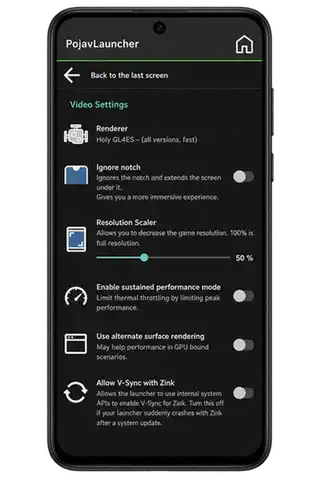
How to Play Minecraft Java Edition Using PojavLauncher
For screenshots and each setup step, read our How to Use Pojav Launcher guide, from account login to your first world.
The steps to play the Minecraft Java edition using the Pojav launcher are simple and easy. You can follow these steps to play:
- Firstly, download and install the PojavLauncher on your device.
- Now, log in to your Microsoft account with Minecraft Java Edition using your credentials.
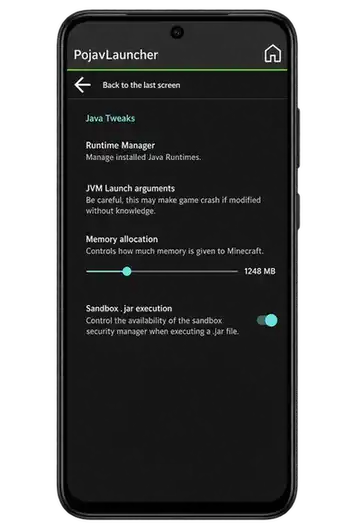
- Choose the Minecraft Java version to play and configure its settings.
- You can also select between a single-player and a multiplayer option.
- After making all the settings, you can start playing the game and enjoy it.
- Additionally, you can also install mods, Forge, Fabric, or OptiFine mods for enhanced gameplay
Comparison of PojavLauncher vs Minecraft Java Edition
Most of the players often think about why they should install PojavLauncher. Or, what is the difference between the Minecraft Java launcher and the PojavLauncher?
So, to remove all kinds of confusion, here is a detailed comparison table of both launchers.
| Feature / Capability | PojavLauncher (Android/iOS) | Minecraft Java Edition (PC/Mac) |
|---|---|---|
| Play on Mobile Devices | ✅ Yes | ❌ No |
| Official Mojang Support | ❌ No | ✅ Yes |
| Java Edition Gameplay | ✅ Yes | ✅ Yes |
| Supports Official Accounts | ✅ Microsoft account | ✅ Microsoft account |
| Mod Support (Forge/Fabric) | ✅ Yes | ✅ Yes |
| OptiFine / Shaders (Limited) | ⚠️ Yes | ✅ Yes |
| Customizable Controls | ✅ Yes (touch & controller) | ❌ N/A |
| External Keyboard/Mouse Support | ⚠️ Yes (BT) | ✅ Yes |
| Lightweight & Portable | ✅ Yes | ❌ No |
| Free to Download | Free launcher; Minecraft license required | ❌ No (Java Edition is paid) |
| Update Method | Archived APK releases | Official launcher updates |
Conclusion
PojavLauncher is a game-changer application for the Minecraft game lovers. When you install this tool and start playing the game, you can access various unlimited features.
You can enjoy Java Edition with mods, custom servers, and full gameplay on your Android and iOS devices. You must download this tool and start playing the game with all its amazing features.
For a variant with additional graphics options, read our PojavLauncher Glow Worm guide, covering renderer plugins and setup.